Apple Intelligence Powers All-New Siri AI Launch
Techscroll network
Published: 13:13, 15 September 2026 | Updated: 13:15, 15 September 2026

The next generation of Apple Intelligence is available today, powering Siri AI and making the apps and experiences users rely on every day more personal and helpful than ever.
Apple yesterday, released the next generation of Apple Intelligence, powering Siri AI, an entirely new version of Siri, and capabilities that make the apps and experiences users rely on every day more personal and helpful than ever. Siri AI is a profoundly more capable and conversational assistant with personal context understanding, broad world knowledge, onscreen awareness, and even more systemwide app actions. Siri AI can help users find what they need in the moment, from answering questions on virtually any topic to surfacing relevant information from a user’s messages, emails, photos, and more. And Apple Intelligence makes everyday experiences across Apple products more personal and helpful with new editing capabilities in Photos, intelligent browsing tools in Safari, an all-new Image Playground that can create photorealistic imagery, and more.
With Apple’s 2027 software releases, users can now access new Apple Intelligence capabilities across apps. Siri AI begins rolling out today in beta in English, and will expand to French, Japanese, Korean, Portuguese, and Spanish next month.
An Entirely New Siri
Siri AI is a completely reimagined version of Siri that is more personal and powerful. With detailed responses and rich, natural conversations, Siri AI helps users get more done than ever before.
Built on Apple Intelligence, this new version of Siri draws on personal context understanding to help users find what they need in the moment across messages, emails, photos, and more. And with even more systemwide app actions, Siri AI can help users with tasks such as drafting an email from scratch or editing and sharing a set of photos.
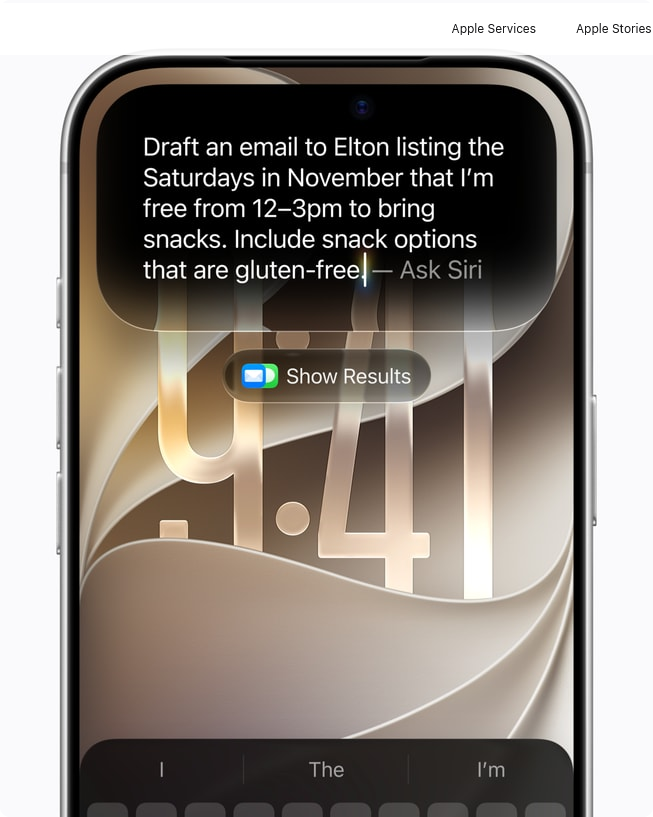
With even more systemwide app actions, Siri AI can help users with tasks such as drafting an email from scratch.
For example, if a user asks Siri what a family member suggested as an activity during an upcoming visit, Siri can search the user’s messages and find that they mentioned wanting to bake a family recipe together. It can then pull up the cooking instructions from an email the relative sent previously and add the ingredients to their grocery list in the Reminders app.
Siri AI already works seamlessly with apps from Apple’s vast ecosystem of developers. Users can continue to take action in the apps they already use with Siri, like texting a friend in WhatsApp or playing a book on Audible. And soon, users will be able to ask Siri AI to draft an email in Microsoft Outlook, search for a homework assignment in Notability, or add a restaurant recommendation to Tripsy.
With onscreen awareness, Siri AI can answer questions or take actions related to the content on a user’s screen. For example, while viewing their favorite sports team’s website, a user can ask Siri to find all the upcoming home games and add them directly to their calendar. And Siri AI can also use broad world knowledge to get up-to-date information on virtually any topic. Whether a user is looking for the score of a football game, tips for planning a vacation, or the best local coffee spot in a new city, Siri AI will leverage information from across the web to deliver helpful, accurate answers.
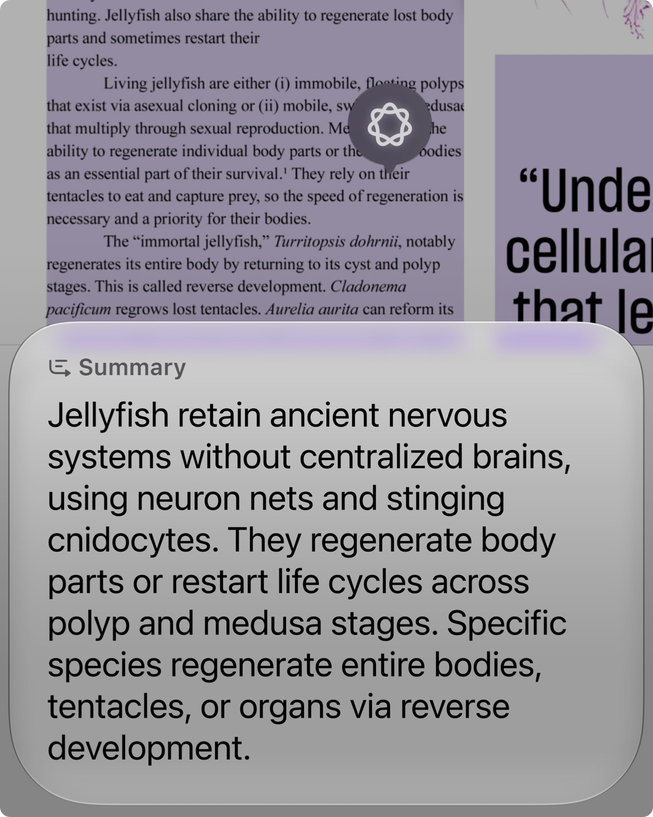
With onscreen awareness, Siri AI can answer questions or take actions related to the content on a user’s screen.
Users can extend almost any response from Siri into a rich conversation and ask follow-up questions. And users can take advantage of Siri AI anywhere across the system. In addition to saying “Hey Siri,” iPhone users can invoke Siri with the side button, or swipe down from the Dynamic Island to start a conversation and get an in-depth answer. On iPad and Mac, Siri AI is integrated into Spotlight so users can search for answers to almost any question. It is also integrated into systemwide context menus, allowing users to Control-click to ask about images, files, or text on their screen. On Apple Vision Pro, Siri AI leverages spatial computing with a 3D visualization that users can place anywhere in their space, and they can invoke Siri by looking at it and starting to speak.
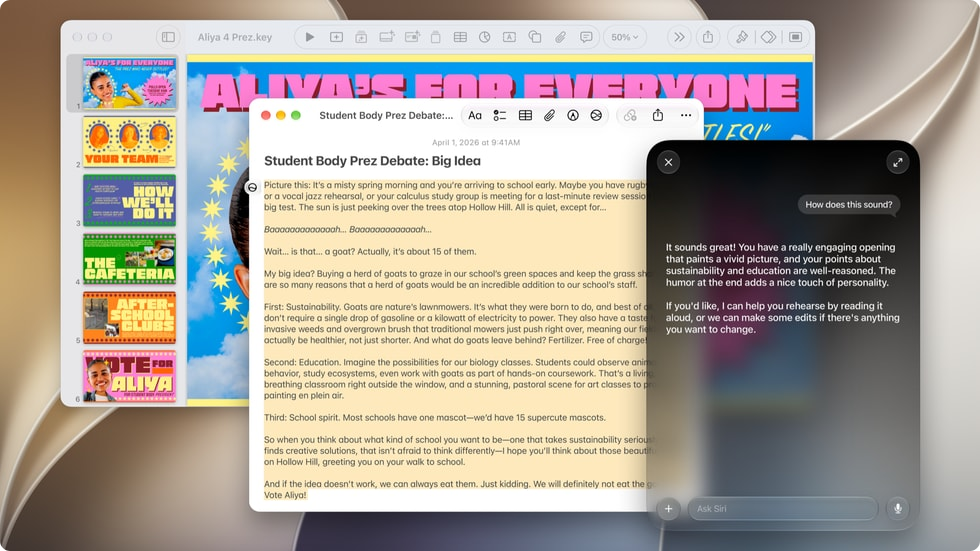
Users can take advantage of Siri AI anywhere across the system, helping them get more done than ever before.
To revisit a past conversation or start a new one, users can open the all-new dedicated Siri app.1 The Siri app uses iCloud to privately sync conversational history across a user’s products, so they can start chatting with Siri on iPhone, and pick up the conversation on Mac, iPad, Apple Watch, or Apple Vision Pro, bringing together rich conversations in one place.
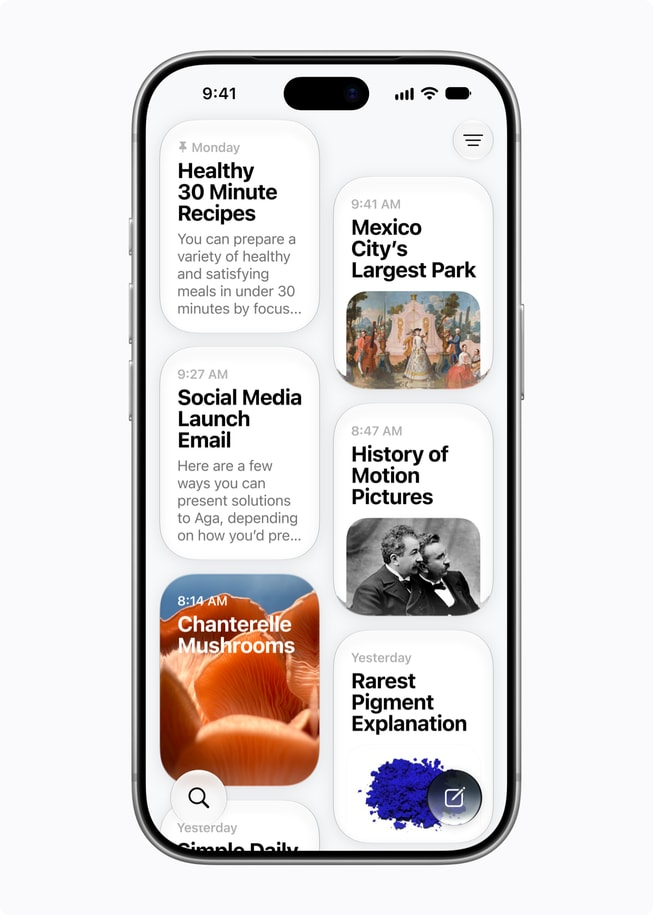
Expressive Voices and Improved Dictation Powered by the Most Advanced On-Device Model
Siri AI offers even more expressive voices, as well as a major boost in accuracy, with systemwide dictation for products that support Apple’s most advanced on-device model ever, AFM Core Advanced.2 Users have the ability to customize the expressiveness and pace of Siri’s voice so it’s just right for them. Dictation now captures what users say as polished text with greater precision, automatically handling capitalization, punctuation, and formatting as they speak. And with improved speech understanding, users can speak naturally and trust that their words will appear clearly, accurately, and as intended.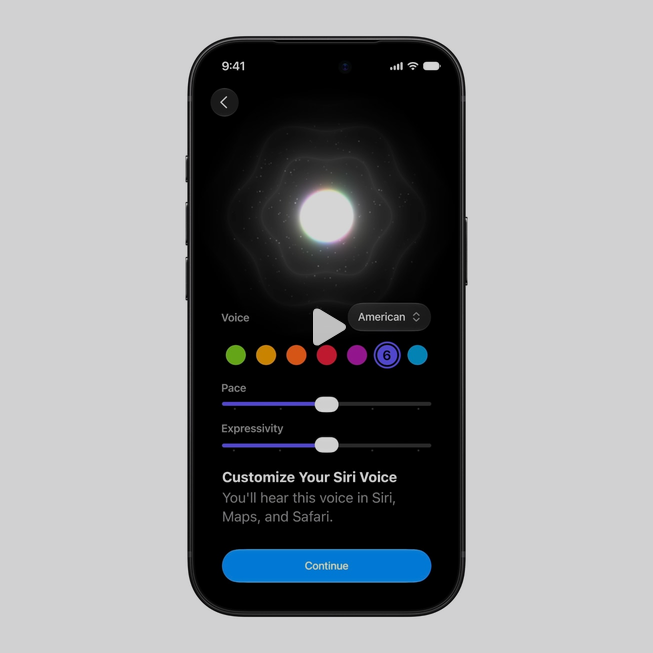
Users can customize the expressiveness and pace of Siri’s voice so it’s just right for them.
Visual Intelligence Is Now on iPad, Mac, and Apple Vision Pro
With Visual Intelligence, Siri AI offers powerful image understanding and multimodal capabilities, so users can ask questions about visual content across iPhone, iPad, Mac, and Apple Vision Pro.
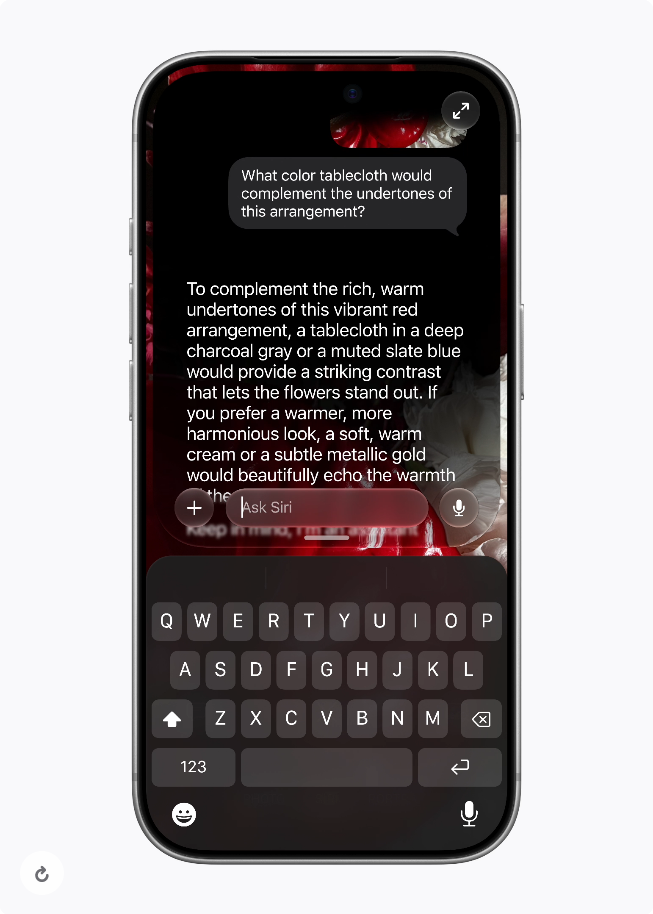
Siri’s multimodal capabilities are integrated right into the Camera app with a brand-new Siri mode, allowing users to get information and take action on what’s in front of them.
On iPhone, Siri’s multimodal capabilities are integrated right into the Camera app with a brand-new Siri mode, allowing users to get information and take action on what’s in front of them. For example, while looking at a poster for a music festival, a user can ask Siri what the set times are for their favorite artists, and then have Siri automatically create multiple calendar events for the weekend. On iPad, Visual Intelligence is integrated right into the screenshot experience. And on Mac, users can tap into it with a dedicated keyboard shortcut, allowing them to select something on their Mac display and type directly to Siri to get a helpful answer. Visual Intelligence also expands to Apple Vision Pro, allowing users to ask Siri about things just by looking at them, from the content inside app windows to physical objects around them.

On iPad, Visual Intelligence is integrated right into the screenshot experience.
The Ability to Write and Edit Virtually Anywhere with Siri AI
Siri now offers integrated Writing Tools that are more powerful than ever, allowing users to write with Siri AI virtually anywhere they type. Users can describe what they need and Siri can generate a draft from scratch to get the ball rolling. If a user wants to refine what they’ve written, they can describe the change they want to make and Siri can quickly update it.
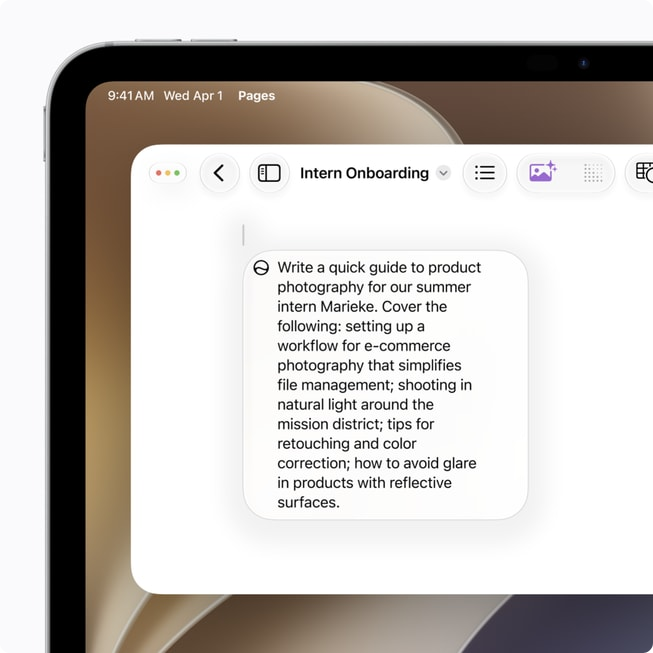
Integrated Writing Tools are more powerful than ever, allowing users to write with Siri AI virtually anywhere they type.
When writing in Mail and Messages, Siri can reflect how users usually communicate with each recipient, including the punctuation and tone they typically use. Users can ask Siri for tips and suggestions to improve their written work. Plus, Apple Intelligence now automatically proofreads for users as they type across the system, including within most third-party apps.
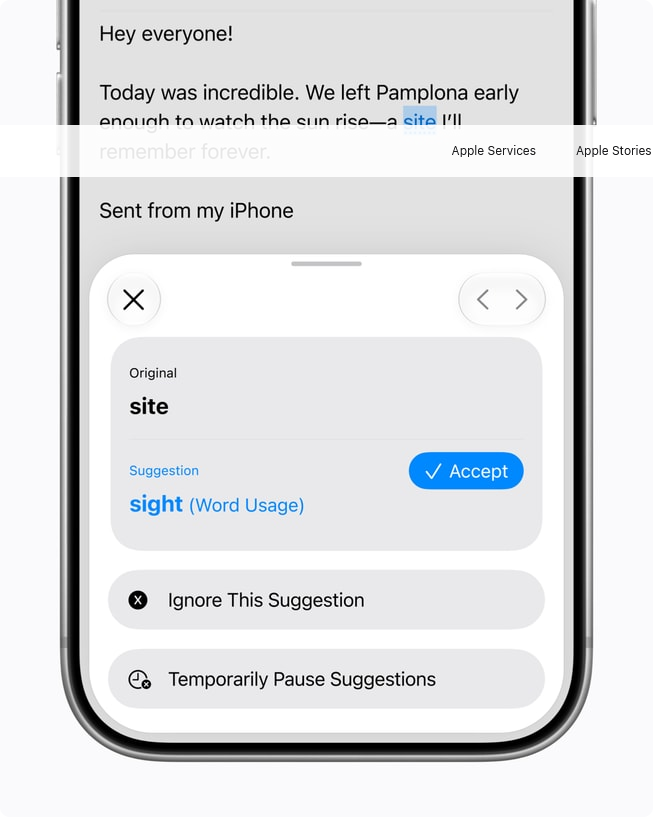
Apple Intelligence now automatically proofreads for users as they type across the system, including within most third-party apps.
Source: Apple Inc.